



Drive
Back roads over highways, with lakes, hills and small towns along the way.
Rule Roads only. Never onto trails or paths.
Most maps find the fastest way.
Vista Roads finds the most beautiful one.
Free on the web now. Coming soon to iPhone and Android.
Anywhere you go, any way you travel. A free app that finds the most scenic route, not the fastest.
No trial that runs out. Nothing locked behind a subscription. Scenic routes, loops, the fuel and EV planner: all of it, free.
The web app
Vista Roads works in your browser today, on your phone or your computer. Nothing to install, no account.
Food, washrooms, gas, hotels and sights around you or along your route. Tap one to add it as a stop.
Quick, Scenic or Most scenic. Walks and rides use as much trail as they can; drives take the roads by the water and through the trees.
Big, clear directions, read out loud. The map turns with you, and after a wrong turn it brings you back to your scenic route.
The app follows your phone's setting, so the map is easy on your eyes after dark.
Three modes
Back roads over highways, with lakes, hills and small towns along the way.
Rule Roads only. Never onto trails or paths.
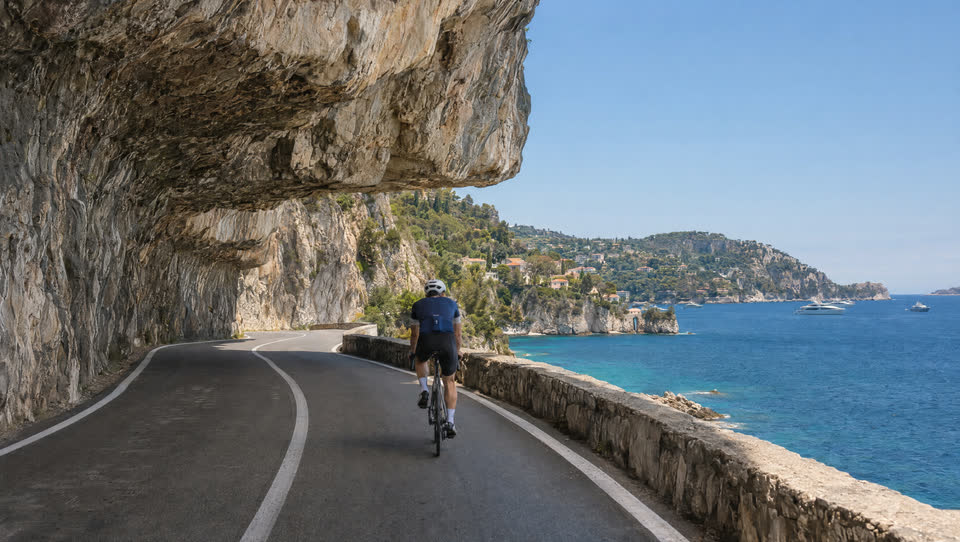
Bike paths and trails first, with quiet roads in between. Tell it your bike, road, everyday or mountain, and it picks trails you can ride.
Rule Stays off highways and busy roads without a bike lane.

Paths, parks, waterfronts and quiet streets, for a slow walk or a morning run.
Rule Never along a main road without a sidewalk.
Local trails
Open Vista Roads and it points out the trails nearby that make a good walk or ride, and the beautiful roads close by for a drive. Every spot comes with a real photo of the view, so you know what you're heading out to.
Near you
Within 10 km
 The view
Riverside path
Walk · Run
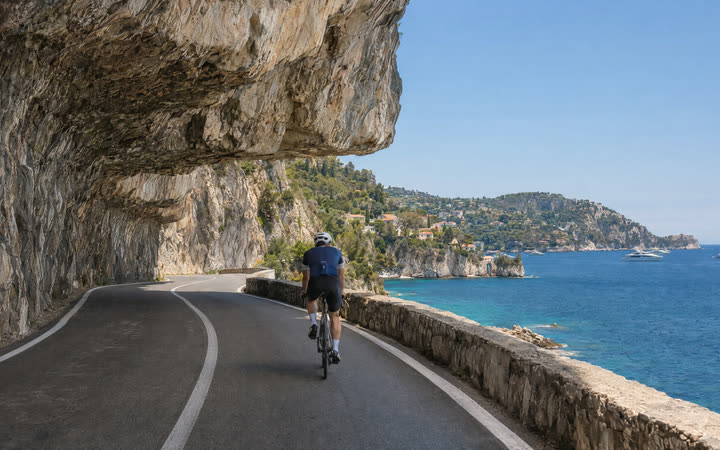 The view
Cliff road
Cycle · Drive
 The view
Lakeshore trail
Walk · Cycle
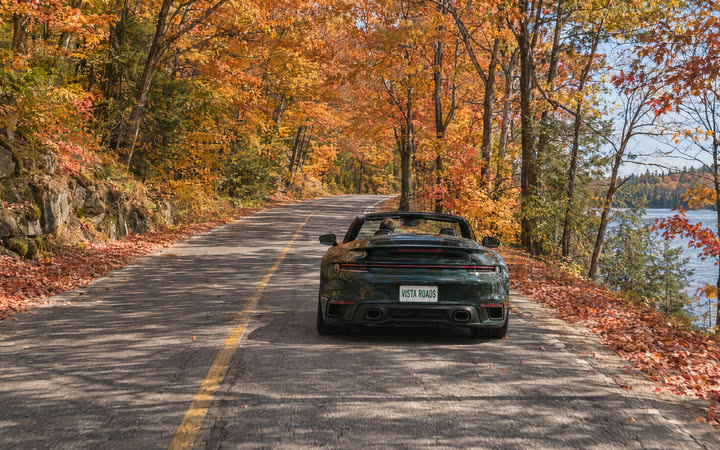 The view
Maple road
Drive
Real routes
Three real trips, planned by Vista Roads. Every scenic route comes with the fastest one beside it, so you know what the view costs in time. Then you choose.

Features
Walks and rides follow whole trails, end to end. Drives take the roads by the water and through the trees. Busy roads and highways stay out of it.
Enter your range and how full you are. Vista Roads adds gas stations or chargers along the way, so you always arrive with 15 to 20% to spare.
Chargers show plug type and speed, and you can filter by plug. Stops count toward your trip time.
Start and finish in the same place. Pick a distance or a time, or hit Surprise me for a fresh loop.
Add a coffee, a lookout or a friend's place. The route bends to fit them.
Every route comes with a short note on what makes it scenic. Tell it what you like: more nature, water views, quieter roads or fewer hills.
Example note 3 km along the water, two parks, one viewpoint, mostly quiet streets.
A big next-turn banner, directions read out loud, and a map that turns with you. Take a wrong turn and it brings you back to your scenic route.
See the climbs before you ride or walk them.
Keep the routes you love. Send one to a friend with a link.
Food, washrooms, gas, hotels and sights along your route, in the order you reach them. Add any of them as a stop.
The road ahead
Here's where Vista Roads is right now. No launch date yet: we'd rather get the routes right.
This website and the web app
Here now
Scenic routes in three modes, with the rules for each
On the web now
Loops, stops, and the fuel and EV planner
On the web now
Scenic notes, elevation, save and share
On the web now
Local trails near you, with a photo of every spot
On the web now
Launch on iPhone and Android
Coming soon
Questions
Yes. Every feature is free, and there is no premium tier.
It depends on the trip. You see the scenic route and the fastest route side by side, with the extra time, before you set off. Then you choose.
The app scores each route on what it passes: water, parks, trails, viewpoints and quiet streets, and how much busy road it avoids. You can tell it what you like more of.
No. Walking routes use paths, parks and sidewalks. Where the map can't tell whether a main road has a sidewalk, the app plays it safe and avoids that road.
No. Plan routes, save them and share them without signing up. Saved routes stay on your own device.
Right now, in your browser: open the web app. The iPhone and Android apps are in development, with no launch date yet. Leave your email and we'll tell you the day they're ready.
We only use it to tell you when the iPhone and Android apps launch. Nothing else.
Vista Roads works in your browser today. Leave your email and we'll tell you when it lands on iPhone and Android. One email, nothing else.
You're on the list. See you on the scenic route.